
Tosarion courses for Microsoft certifications

Learn the work behind the certification

Each Tosarion course brings together enhanced hands-on lab guides, exam prep with explained answers and a companion manual. You learn the concepts, build them in the product, then check what you know under timed conditions.

  • Lab guides replayed against the live product
  • Answers checked against Microsoft Learn
  • Manuals to read online or as PDF and EPUB
What a course includes

Three parts, one course

The parts are built to be used together: the manual explains, the lab guide shows you how, and the exam prep tells you what you have learned.

Enhanced hands-on lab guides

Every lab is a step-by-step guide with a screenshot of each screen and the reason behind each step, so you build the solution yourself in the product. The guides are replayed against the live product to keep the steps current.

  • Labs in course order
  • Screenshots of every step
  • Links to each lab's practice questions
Exam prep with explained answers

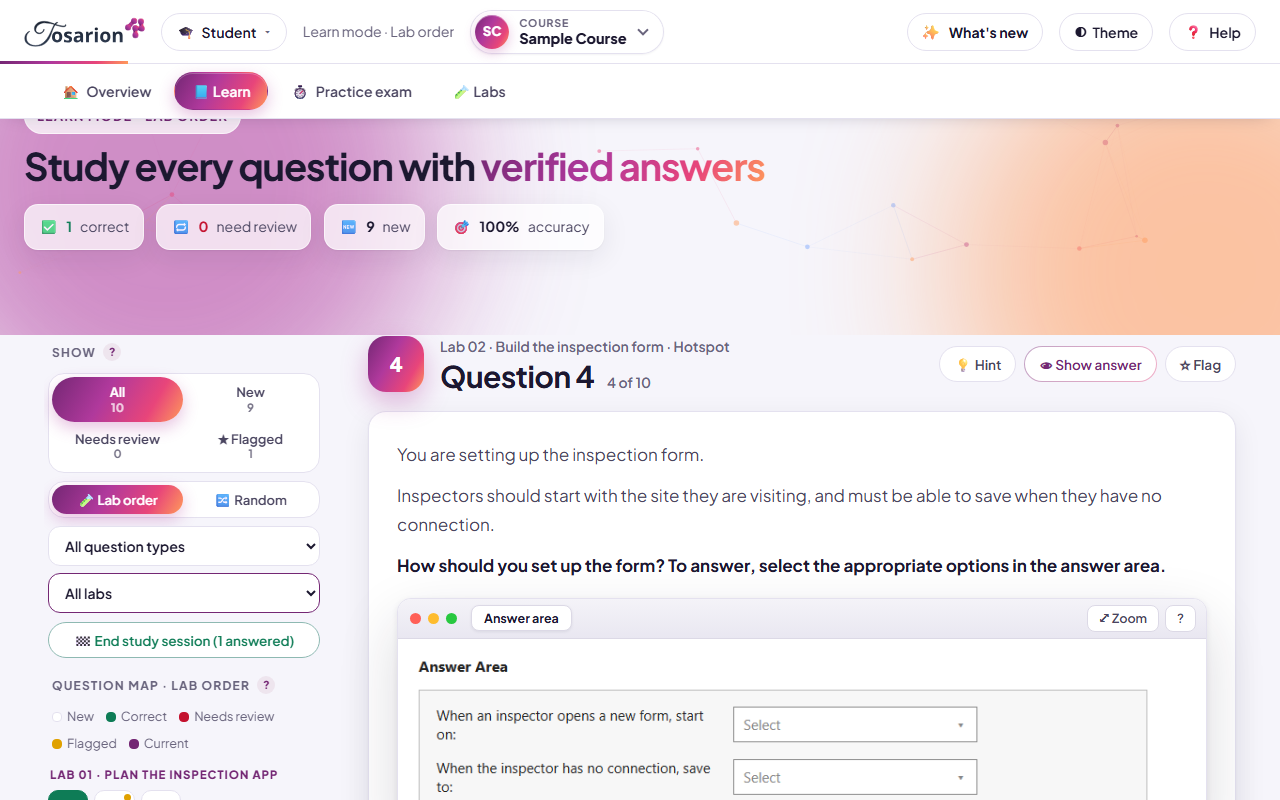
Practice questions organised by lab, each answer checked against Microsoft Learn and explained option by option. Learn mode gives a hint first and the reasoning after; timed practice exams show where you stand.

  • Learn mode with hints and explanations
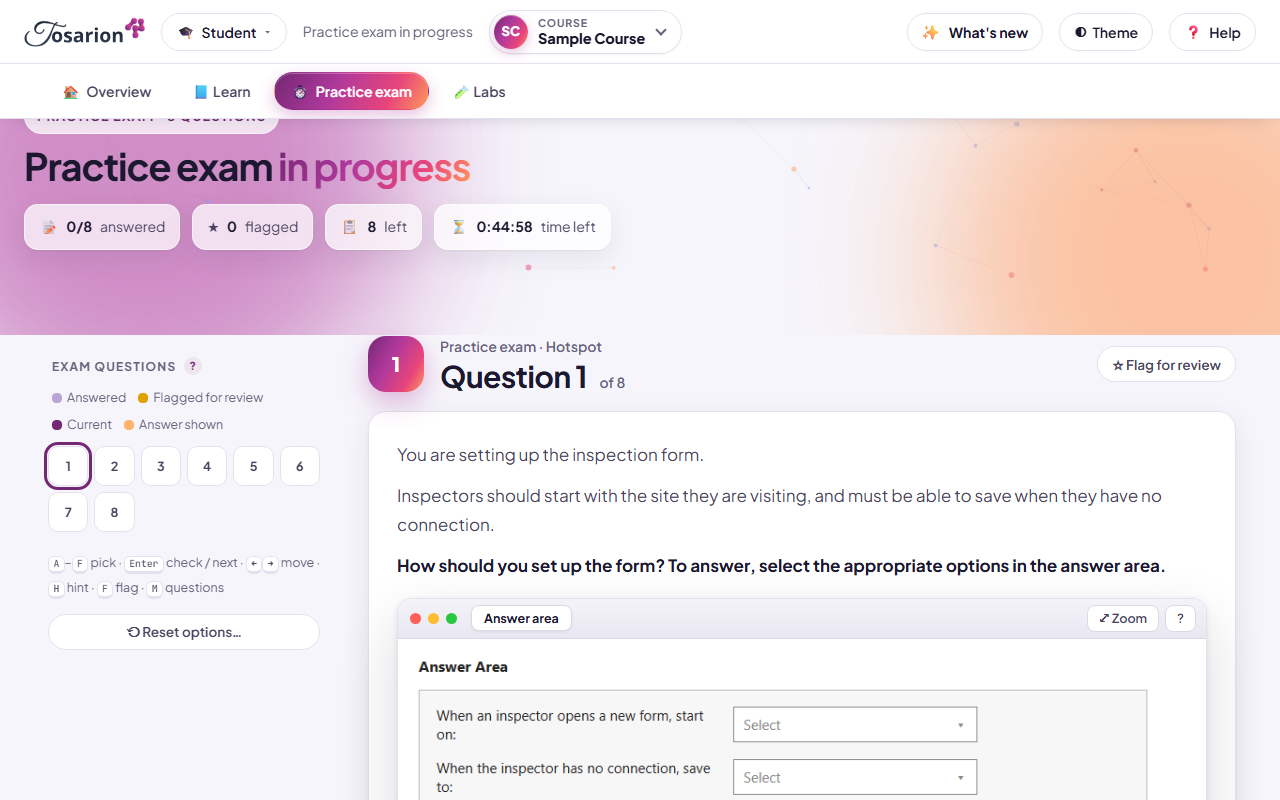
  • Timed practice exams with a pass mark
  • A review list of what you got wrong

Companion manual

A full textbook written for the course: the concepts, the architecture and the reasoning behind each lab, to read before you build and to keep afterwards. Each course page shows whether its manual is available.

  • Read online in the portal
  • Download as PDF or EPUB
  • Chapters that follow the labs
How a course works

Learn, build, practise, review

Work through the course one lab at a time. Your progress is saved to your account, so you can stop and carry on from any device.

  1. LearnRead the concepts for the lab in the companion manual or the guide's overview.
  2. Build in the labFollow the lab guide in the product itself, step by step, until the solution works.
  3. PractiseAnswer that lab's questions in Learn mode: a hint first, then the explained answer.
  4. ReviewTake a timed practice exam. What you got wrong becomes your review list until you get it right.
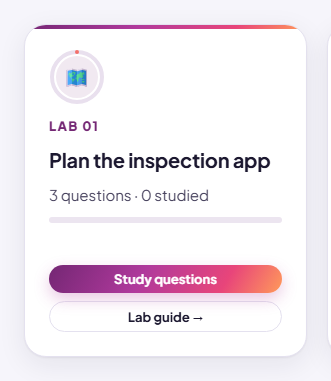
Lab card
A lab card on a course page, with its practice questions and its lab guide
Each lab links its guide and its questions
Learn mode
Learn mode: the question map beside a question and its explanation
Learn mode explains every option
Practice exam
A timed practice exam question with the countdown
Timed practice exams show where you stand
Catalog

Find your course

Pick a technology, then its provider, then your course. Each course card shows what it includes.

    Questions

    Frequently asked questions

    What does a Tosarion course include?

    Enhanced hands-on lab guides, exam prep with explained answers and, where the course has one, a companion manual to read online or download as PDF or EPUB. Each course page lists exactly what it includes.

    Who are the courses for?

    People preparing for a Microsoft certification exam who want to learn the work itself, not only the answers: students in a class, teams in training and individual learners.

    How do I get access?

    Accounts are by invitation. Your instructor or administrator invites you and decides which courses your account opens. Anyone can browse the catalog and the course pages.

    How are the answers checked?

    Each answer is checked against Microsoft Learn documentation and explained option by option. Where a commonly circulated answer is wrong, the course shows the corrected answer and the documentation behind it.

    Is my progress saved?

    Yes. Your answers, practice exams and place in each course are saved to your account, so you can carry on from another computer, tablet or phone.

    Are these official Microsoft courses?

    No. Tosarion courses are independently developed. Microsoft, Power Apps, Power BI, Microsoft 365 and Copilot are trademarks of the Microsoft group of companies. Tosarion is not affiliated with, sponsored by or endorsed by Microsoft.

    Ready to start?

    Accounts are by invitation: ask your instructor or administrator to invite you. Already invited? Sign in to open your courses.